The lab spreadsheet and the ERP, finally in sync
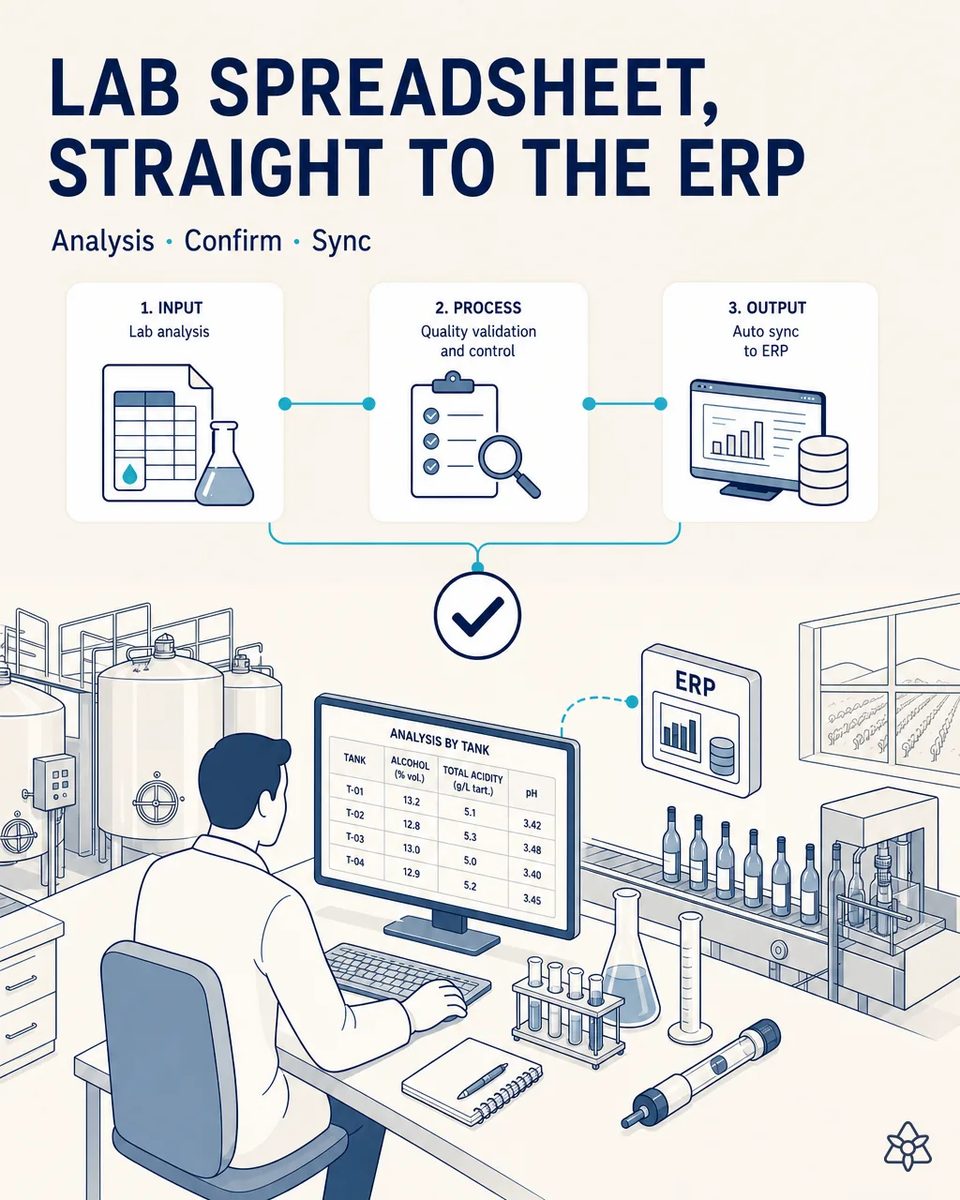
The enology lab fills in an analysis spreadsheet every week, per tank. The ERP requires manual transcription, weeks behind. iLEAN detects the spreadsheet, absorbs it, and syncs it to the ERP only after the winemaker validates.
Two versions of every tank: the real one and the one in the ERP.
two parallel worlds — the real spreadsheet with live analytical data, and the official ERP with data transcribed weeks later, with copy errors.
- The enology lab keeps a spreadsheet per week and per tank: alcohol, total acidity, volatile acidity, pH, free and total SO2, residual sugar, malic acid.
- That spreadsheet is the live truth. The ERP holds a version transcribed by hand weeks later, with copy mistakes along the way that nobody spots until they matter.
- When a tank is about to be racked, blended or bottled, the decision is made on the spreadsheet, and the ERP stays behind as a record nobody fully trusts.
- Meanwhile, several people log into the lab module only to retype what was already typed once, and each of them is a license on the invoice. The lab ends up paying for the ERP twice: in licenses and in hours.
Connect in listen-inward mode — it reads the lab's shared folder, not the enologist.
Connect "listens inward" — watches the shared folder, not the person. Reads the delta when the file is saved, parses it with a grounded LLM, validates on screen, syncs to the ERP via API.
The lab keeps its spreadsheet, columns and habits exactly as they are. What disappears is the second typing, and with it the weeks of gap between what the tank really is and what the ERP says it is when someone has to decide a blend. It also means the SO2 history of each tank is in one place when an importer asks for it.
The lab spreadsheet alone versus the spreadsheet synced
| Aspect | Today | With iLEAN Connect |
|---|---|---|
| Gap between analysis and ERP | Weeks | Zero latency after validation |
| Hours a month retyping | Several | None |
| SO2 and volatile acidity history per tank | Scattered across files | In the ERP, per batch |
| Transcription slips | Found when blending or bottling | Removed at the source |
| The lab's spreadsheet at the winery | — | Kept exactly as it is |
| Lab and quality module licenses | Four | One, the winemaker who validates |
weeks of lag → zero latency; hours per month transcribing → zero.
Impact estimate — to be validated against your ERP vendor's rate card.
The block below is an estimate to be validated against your plant's actual data. We put it forward so the committee has an order of magnitude; we refine it during the assessment.
- Estimated payback 4-9 months.
- CFO angle: a typical 50-80% reduction in ERP licenses for the lab and quality module, going from four licenses to one, recurring every year. That is the number the finance team usually asks about first, and it repeats at every renewal.
- From weeks of lag to zero latency, and from hours a month spent transcribing analyses to none.
- Figures to validate against your vendor's actual rate card, not a generic price list.
CFO angle — typical reduction of 50 to 80% in ERP licenses for the lab/quality module (from 4 licenses to 1), estimated payback of 4-9 months. Estimate to validate against the actual vendor rate card.
And the fair question from the production manager
"Our spreadsheet has merged cells, notes in the margins and a tab per month — will it really parse it?" — that is the expected situation: parsing does not depend on fixed positions, it interprets columns, units and margin notes as they are. It is an anchored task, where the best models drop below 1.5% error [1], and the winemaker validates on screen before anything is synced to the ERP.
[1] OpenAI paper "Why Language Models Hallucinate", 2025 — on the reliability of AI in anchored tasks.
What people ask about syncing the enology lab with the ERP
Which analyses does it pick up?
Whatever the spreadsheet holds: alcohol, acidities, pH, free and total SO2, residual sugar, malic acid. It reads the columns the lab already uses, with the units the lab already writes. If the lab adds a new column next campaign, it is picked up without reconfiguring anything.
When exactly does the data move?
When the file is saved, Connect reads only what changed, builds a summary and waits for the winemaker to validate before syncing it to the ERP through its API. If nobody validates, nothing moves, and the summary waits for the next session.
What if a value is out of the usual range for that tank?
It is highlighted in the summary, so the winemaker sees it before confirming. A volatile acidity spike or a free SO2 drop should never enter the ERP quietly. The previous values for that tank are shown alongside, so the jump is obvious at a glance.
How are the licenses reduced in practice?
Whoever logged in only to type results stops needing to. One validating user remains, and the actual saving depends on your contract, which is why we check it against the invoice. We usually start by listing who logs into the lab module and what they actually do there.
Does it track what the lab staff do?
No. It watches the shared folder, not the people. There is no record of who opens the file, when, or for how long. The enologist's work is not measured; only the analyses are read.
More cases from this series
- The capital pain of any winery, solved in 4 rings4 coordinated rings (ERP, labeler, Edge, evidence pack) stop the line the moment a batch or vintage…
- The audit dossier, ready before the auditor shows upEvery critical change automatically generates a photo, log and sign-off. Agents organizes the evidence…
- Nothing enters the ERP without your confirmationNothing iLEAN captures reaches the ERP without a human confirming it with 2 taps on an industrial tablet.
- The fermentation curve, digitized without touching the equipmentAn external camera digitizes the fermentation temperature curve from a legacy control panel, without…
- From the grower's text message to action, in secondsiLEAN reads associated growers' alerts in silent copy and reschedules harvest before the trailer even…
- The grower's delivery note, from paper to ERP in secondsPhotograph the grower's weighbridge note and it goes straight to the ERP after one confirmation tap.…
Tell us how many people log into your ERP only to enter lab analyses.
We work on your plant's real data, not ours. Assessment with no commitment.
Request estimated ROI within 48h ‹ See all cases of wineries See food industry