The GS1-128 label fills itself in
The logistics label generator already exists in the ERP with 20+ fields, but they're typed in by hand before every shipment. With iLEAN, the active batch feeds the label automatically.
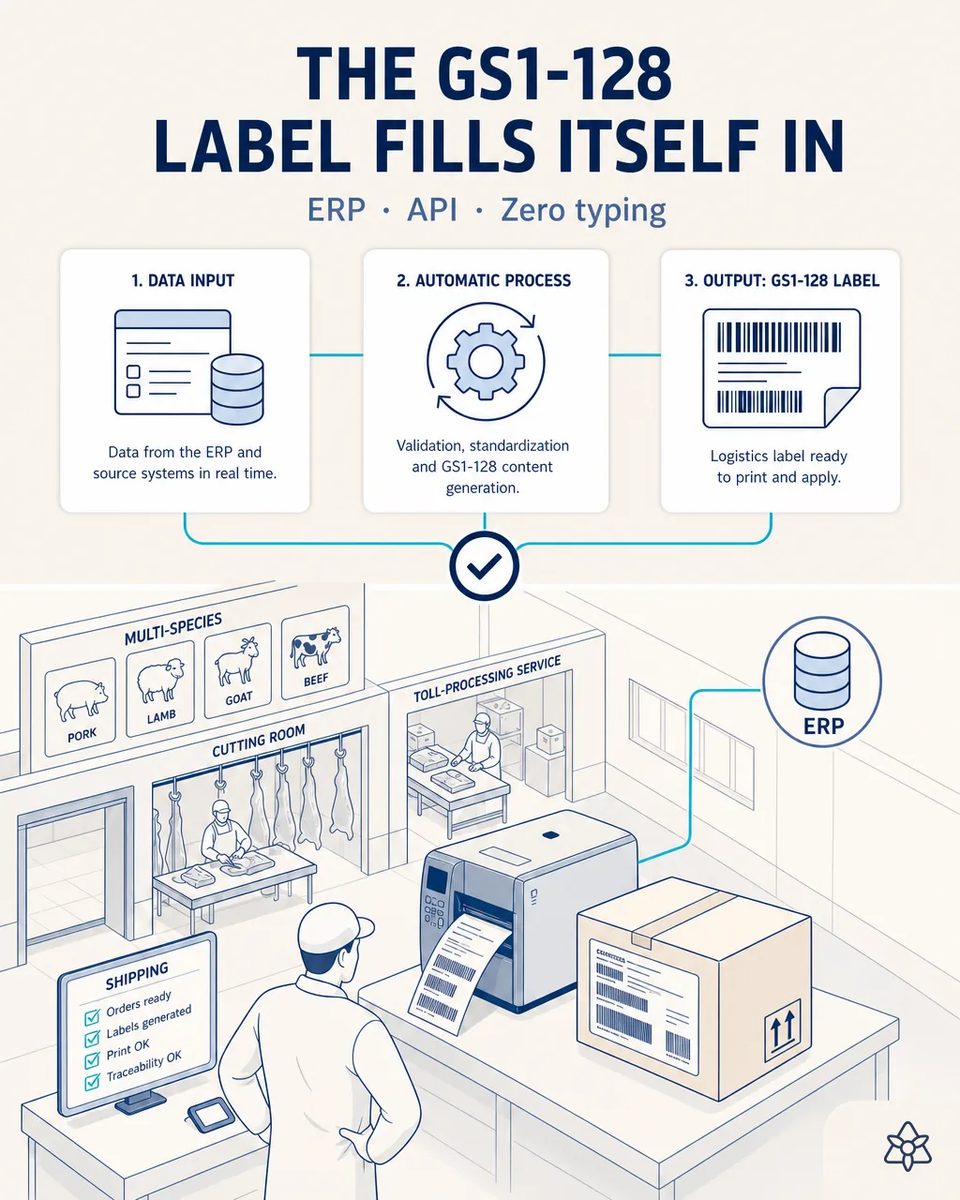
The last step before the truck is also the most manual one.
Typing 20+ fields per shipment is slow and risky if one gets mistyped.
- The label generator already exists and already produces a compliant GS1-128 label. The problem is upstream of it.
- Twenty or more fields — batch, species, net weight, counts, dates, destination — are typed in by hand before every shipment, by somebody under time pressure at the dock.
- A mistyped batch on a logistics label is the cleanest way to lose traceability at the very last step, after everything upstream was done properly.
- And when a customer scans the label and it does not match the delivery note, the argument starts at their goods-in, not at yours. Sorting it out costs a phone call, a credit note and a small amount of standing, every single time.
Connect stitches the active batch to the label generator through its API.
Connect stitches the ERP's active batch/shipment to the label generator via API.
The label generator is not replaced and the label format is not touched, which matters because that format is already agreed with your customers. What changes is where the data comes from: the active batch and shipment in the ERP feed the fields, and the person at the dock validates instead of typing. It is the shortest case of the twelve to deploy, because everything it needs already exists on both sides.
The label today versus the label fed from the batch
| Aspect | Today | With iLEAN Connect |
|---|---|---|
| Fields typed per shipment | Twenty or more | Zero |
| Where the data comes from | A person reading a screen | The active batch in the ERP |
| Time per label | Minutes at the dock | One validation tap |
| A mistyped batch number | Found by the customer | Impossible: it is not typed |
| Label versus delivery note | Compared by eye | Same source for both |
| The label format | — | Unchanged, same generator |
20+ typed fields → zero, just one validation tap.
Impact estimate — to be validated with your numbers.
The block below is an estimate to be validated against your plant's actual data. We put it forward so the committee has an order of magnitude; we refine it during the assessment.
- Estimated payback 3-6 months, the fastest of the whole matrix because the work it removes is measurable per shipment.
- From twenty-plus typed fields to one tap, which at the dock is minutes back on every load.
- Labels stop being a place where traceability can break, since nothing about them is retyped from another screen.
- And a scan at the customer's goods-in matches the delivery note because both were built from the same batch.
Fast payback, 3-6 months. *Estimate to be validated*.
And the fair question from the production manager
“Our label generator is old — will it have an API?” — more often than not it does, and it is the first thing checked before anything is proposed. Where there is none, the batch data is delivered in the file format the generator already imports, which is a well-trodden path. And where a field still has to come from a document rather than from the system, reading it is an anchored task with a fixed layout, where the best models drop below 1.5% error [1]. Either way the label is not redrawn: what is replaced is the typing in front of it, and the operator still confirms the shipment before it prints.
[1] OpenAI paper "Why Language Models Hallucinate", 2025 — on the reliability of AI in anchored tasks.
What people ask about the logistics label
Does the label design change?
No. The layout, the application identifiers and the coding stay exactly as your customers already receive them, which matters because a change there would have to be agreed with each of them. What changes is only where the field values come from.
What if a shipment mixes several batches?
Each logistics unit carries the batch it actually contains, taken from what was assigned in the cutting room. Mixed loads are exactly where hand typing goes wrong today, and where feeding from the system pays most.
Does it cover toll shipments as well as our own production?
Yes, and the flow is carried in the data from the moment the order is opened, so a toll client's boxes print with their order and never with yours, even when both ran on the same species the same morning.
Who is responsible for the printed label?
The person who validates the shipment, exactly as today. What they no longer do is transcribe the twenty fields that determine whether the label is correct, which is the part nobody can do reliably at the end of a shift.
Can it print from the dispatch bench without opening the ERP?
Yes, and that is the usual setup: the shipment is selected, the summary is confirmed and the label prints where the boxes are, without anyone walking to an office terminal.
More cases from this series
- Paperless carcass grading logThe grader photographs the grading log and the carcass record already exists in the central system at…
- The chilling tunnel finally gets loggedAn external camera reads the chilling tunnel's temperature curve without touching the controller.
- Two taps before flows could mixNothing enters the ERP without a human seeing it first — prevents mixing own production and toll orders.
- What's said between lines staysThe cutting-room lead dictates while walking between species and the AI structures, stores and replies…
- Origin docs and ear tag enter on their ownPhoto the health certificate and the ear tag: the animal traceability table fills itself in, ear tag…
- The quality module stops sitting emptyiLEAN absorbs the real control and fills the quality module your ERP already had built, no new licenses.
Tell us how many fields your team types before printing a shipping label.
We work on your plant's real data, not ours. Assessment with no commitment.
Request estimated ROI within 48h ‹ See all cases of multi-species abattoirs See food industry