Lab sheets enter the ERP on their own
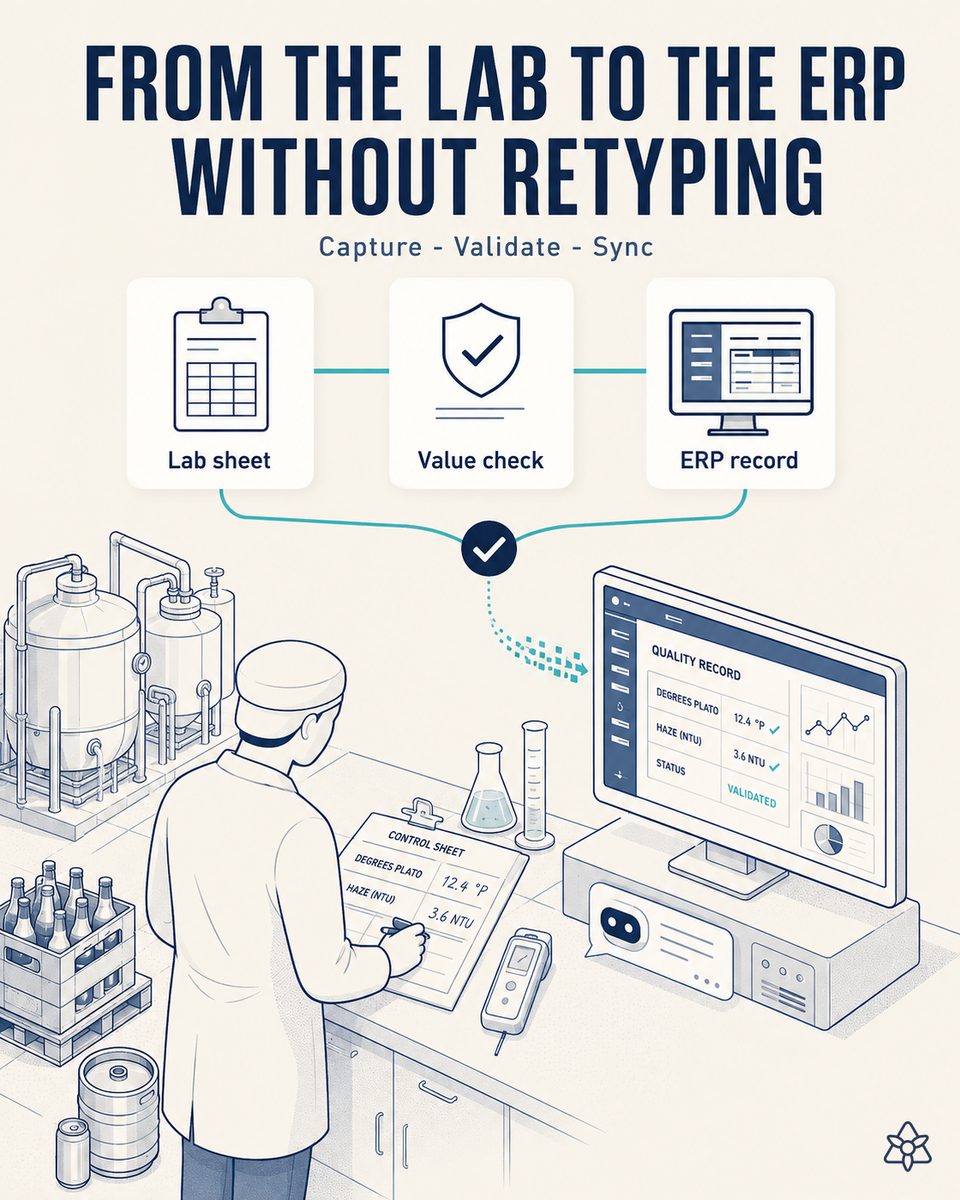
In a brewery the lab is the heart of control, and much of its real work lives in spreadsheets inside a shared folder: one per line, one per cellar, one per shift. That is where the live data is; the ERP shows another version of the truth, retyped late and with copy errors. Connect reads the sheet when it is saved and, after human validation, pushes it to the ERP through the API.
Two versions of the truth, weeks apart.
Degrees Plato, alcohol, color, bitterness, haze, dissolved oxygen, carbon dioxide, microbiology and, in packaging, fill level, cap torque and pasteurization units. All of it is recorded per batch and per hour in spreadsheets, and afterwards somebody retypes it into the ERP. In a plant with several lines on three shifts the retyping volume amounts to several person-days a month, and every copy error becomes a discrepancy somebody else has to investigate weeks later. Meanwhile, batch release leans on the sheet, not on the official system: two parallel worlds, weeks apart.
- The live data is in the spreadsheet: degrees Plato, alcohol, color, bitterness, haze, dissolved oxygen, carbon dioxide and microbiology, plus fill level, cap torque and pasteurization units in packaging.
- The ERP shows another version, retyped late and with copy errors somebody will have to investigate weeks later.
- Batch release leans on the sheet, not on the official system. In other words: the important decision is made outside the system that is supposed to support it.
Connect in listen-inward mode — it watches the folder, not the people.
Connect in listen-inward mode. Step by step: (1) iLEAN watches the shared folder — the folder, not the people — and detects that the file has been saved; (2) it reads the delta and parses it with an anchored LLM against the expected schema of each sheet; (3) it flags anything out of specification and takes it to the early human verification tablet; (4) when the supervisor signs, it pushes it to the ERP quality module through the API. The analyst keeps working exactly as before: there simply stops being somebody retyping.
The analyst keeps working exactly as before, in the same sheet. What disappears is the person who was retyping. And with them, the ERP licenses that existed only to upload data.
- iLEAN watches the shared folder — the folder, not the people — and detects that the file has been saved.
- It reads the delta and parses it with an anchored model against the expected schema of each sheet, which differs between the process lab and packaging.
- It flags anything out of specification and takes it first to the early human verification tablet.
- When the supervisor signs, it pushes it to the ERP quality module through the API, with the signature attached.
- Zero change to the analyst's work — no new form, no sheet migration, no training.
Manual retyping into the ERP vs. push after validation
| Aspect | With manual retyping | With iLEAN Connect |
|---|---|---|
| Lag between real and official data | Weeks | Second zero |
| Retyping effort | Several person-days a month | None |
| Copy errors | Investigated weeks later | Non-existent: there is no copy |
| Batch release | Leaning on a parallel sheet | With data cross-referenced in the system |
| Quality module licenses | One per person who uploads | One, the supervisor who validates |
| The analyst's work | Their sheet, plus typing into the ERP | Their sheet, nothing else |
Weeks of lag between real data and official data to second zero. Several person-days a month of retyping to zero. Batch release leaning on a parallel sheet to release with the data cross-referenced in the system.
Impact estimate for your plant — to validate against your ERP invoice.
The block below is an estimate to be validated against your plant's actual data. We put it forward so the committee has an order of magnitude; we refine it during the assessment.
- Lab with several control sheets — per line, per cellar, per shift — in a shared folder.
- The ERP charges per active user: if five people log in only to upload results, that is five licenses.
- With Connect only the supervisor who validates logs in: one license. Typical reduction of 50-80% in quality and lab module licenses, and it is a recurring saving without touching the framework contract.
- Indicative payback between 4 and 9 months on top of the license saving. To validate against the real invoice and the user breakdown per module.
The ERP charges per active user. If five lab people log into the ERP only to upload quality results, that is five licenses; with Connect only the supervisor who validates logs in, one license. Typical reduction of 50-80% in quality and lab module licenses, a recurring annual saving without touching the framework contract. Estimated payback 4-9 months on top of the license saving. *Estimate to validate* against the real ERP invoice and the user breakdown per module.
And the fair question from the production manager
“What if it parses a cell wrongly and uploads a bad quality value?” — reading a cell against a known schema is an anchored task, not free generation, and in that kind of task the best models drop below 1.5% error [1]. Besides, the order matters: anything out of specification is flagged and put in front of the supervisor before anything is uploaded. The doubtful value is precisely the one that gets the most human attention.
[1] OpenAI paper "Why Language Models Hallucinate", 2025 — on the reliability of AI in anchored tasks.
What people ask about moving the lab to the ERP without retyping
Do the lab spreadsheets have to change?
No, and that is a design condition. Those sheets have worked for years, they are maintained by people who know why each column is where it is, and asking for them to be migrated to a new form is the fastest way to make sure the project never starts. Connect adapts to the schema of each sheet; the sheet does not adapt to Connect.
Does this monitor what the lab staff do?
No. The system watches the shared folder and detects that a file has been saved, exactly as a backup would. It does not monitor people, does not record who works how much and does not analyze individual activity. It reads a shared working file that already exists on the plant network.
How exactly are ERP licenses reduced?
An ERP quality module is normally billed per active user. Today everybody in the lab who needs to upload results logs into the ERP, even though their real work is in the sheet. With Connect, the only person logging into the ERP is the supervisor who validates the push. The rest keep working in their sheet without needing access, and that reduction recurs year after year without renegotiating the framework contract.
What happens with an out-of-specification result?
That is the case we care most about. Connect flags it at parse time and takes it to the early human verification tablet instead of uploading it silently. The supervisor sees it highlighted, decides whether it is a real value or a recording error, and signs. What does not happen is an out-of-spec entering the system quietly or being discovered weeks later.
And batch release?
That is the most important consequence. Today release leans on the sheet because the ERP runs weeks behind: the decision is made with good data but outside the system. Once the push is immediate, release moves onto the official system, with lab data cross-referenced against the rest of the batch. That is also the prerequisite for the dock release case.
More cases from this series
- The audit dossier that builds itselfPre/post photos, pasteurization curve, lab results and signatures, organized by standard. The audit…
- Zero pallets shipped unreleased and without verified markingOrder, marking, Edge vision and yard cross-referenced before loading. If the batch is not released or…
- Marking stops depending on somebody typingBatch, expiry and destination market travel from the ERP to marking through the API, on container and on…
- Line startup stops living on a sheet of paperThe packaging order and the startup checklist captured with a photo: the batch exists in the central…
- The twenty-year-old panel that finally speaksAn external camera reads pasteurization units off the isolated panel and cross-references them with the…
- Hands busy, voice free: shift knowledge stops dying at handoverAn earpiece under the hearing protection: the shift lead dictates while walking and iLEAN structures the…
Work out how many licenses of your quality module exist only to enter data and we will send the estimated saving within 48h.
We work on your plant's real data, not ours. Assessment with no commitment.
Request estimated ROI within 48h ‹ See all cases of industrial brewery See food industry