Humans in command: the blend is validated before the ERP
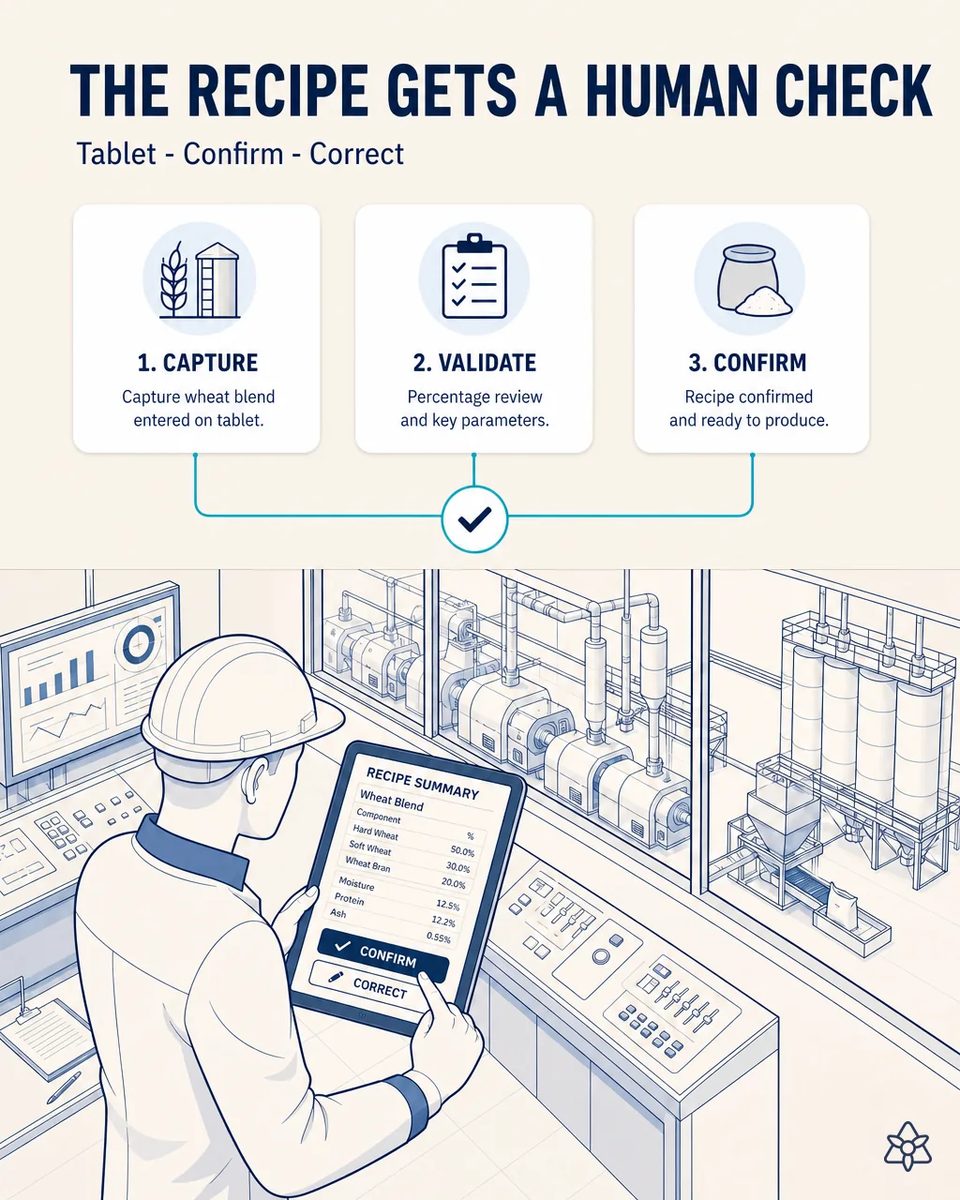
What iLEAN captures about the blend, the milling line or a supplier alert never crosses into the central system without the mill supervisor confirming it with two taps on a tablet first.
A wrong blend in the ERP ends up on the customer's spec sheet.
If the blend or batch destination enter the ERP wrong, they contaminate the spec sheet sent to the bakery customer -a commercial risk, not just a quality one.
- The ERP feeds the specification sheet sent with every flour delivery: protein, moisture, W, P/L, falling number and destination. Industrial customers use that sheet to adjust their own process to each delivery.
- If the blend or the batch destination enter wrong, the error travels to the customer on an official document. And once a spec sheet has been sent, correcting it is far more awkward than getting it right.
- That is a commercial risk, not just a quality one: an industrial customer who receives a sheet that does not match the flour stops trusting all the others.
- And AI capturing data straight into the ERP with no control would be the fastest way to multiply that risk. Quality managers know this, which is why they block any project that does not answer it.
Connect with human validation — two taps on an industrial tablet.
An industrial tablet with a clear visual summary of what was captured (photo, voice, email). The mill supervisor confirms or corrects with two taps before the data crosses into the central system.
This is the piece that makes the other eleven approvable. Nobody in a mill signs off on an AI writing directly into the system that issues the customer's spec sheets; everybody signs off on an AI that prepares and a person who confirms. That is why we deploy it with the first capture case, not as an afterthought.
Data entry today versus the validated gate
| Aspect | Today | With iLEAN |
|---|---|---|
| Who enters the blend | Whoever types it later | The supervisor who saw it, confirming |
| What the supervisor reviews | Nothing, or a printout | A visual summary: photo, voice, email |
| Time per validation | Walk to a terminal | Seconds, two taps |
| Corrections | Overwritten, no trace | Stored with author and time |
| Spec sheet sent to the customer | Fed by unchecked data | Fed by confirmed data |
| AI writing to the ERP | — | Never without a person |
From AI-captured data entering directly with no control, to a seconds-long human gate that adds no friction to the operation.
Impact estimate — to be validated with your numbers.
The block below is an estimate to be validated against your plant's actual data. We put it forward so the committee has an order of magnitude; we refine it during the assessment.
- No standalone payback — this is an enabling piece, and we do not put a number on it on purpose.
- It adds no implementation cost: the tablet and the gate come with the capture cases it protects. It is part of the architecture, not an extra line on the quote.
- Its value is risk removed: the quality history and the customer's spec sheets stop being contaminated with unvalidated data. Every record that reaches the ERP has a name and a time behind it, which is what an auditor or a customer will ask for.
- And it is what allows the photo, voice and email cases to be approved by quality management.
No added implementation cost; removes the risk of contaminating the quality history with unvalidated data. Estimate to validate.
And the fair question from the production manager
"If a person confirms everything anyway, what is the AI saving?" — the work is not in deciding, it is in assembling. Extracting the blend from a photo or an alert from an email is an anchored task, where the best models drop below 1.5% error [1], so the supervisor receives it already assembled and only confirms or corrects. Every correction is stored: the system learns exactly where its extraction fails. After a few weeks, the corrections themselves show which fields of which sheets need attention.
[1] OpenAI paper "Why Language Models Hallucinate", 2025 — on the reliability of AI in anchored tasks.
What people ask about validating the blend on a tablet
How long does a validation take?
A few seconds. The summary arrives with silos, percentages and destination already filled in, and the supervisor confirms or corrects with two taps. A correction takes a few seconds more, and the original capture is kept next to it.
Can the system skip validation when the supervisor is busy?
No, and it is not a setting: it is the architecture. Data waits in a queue until a person confirms it. If it waits too long, it escalates to the next person on the shift rota.
What is recorded for each validation?
What summary was shown, who confirmed it, when, and what was corrected. That is what you need if a customer questions a spec sheet. It is also what an IFS Food auditor will ask to see about data integrity.
Does the tablet survive the mill environment?
It is an industrial tablet, sealed against flour dust and usable with work gloves on. It is mounted in the control room or carried on the rounds, as the mill prefers.
Is it mandatory before deploying the other cases at the flour mill?
In practice yes, because it is the guarantee that nothing captured by photo, voice or email reaches the ERP without a person behind it. It is usually deployed together with the first capture case, not after.
More cases from this series
- Lab data, from spreadsheet to ERP with no transcriptioniLEAN reads the quality lab's spreadsheet and pushes it validated into the ERP, saving up to 80% on…
- Wheat receiving, from double-keying to one tapA photo of the delivery note and analysis report: iLEAN pushes it to the ERP with the silo already…
- What the mill supervisor notices no longer gets lostA headset and Connect voice mode capture what the mill supervisor observes while walking the floor,…
- The packaging line and the ERP stop typing separatelyiLEAN stitches the automatic packaging and palletizing line to the ERP, replacing nothing, and ends…
- The mill's control panel, untouched, now talksAn external camera reads the milling line's control panel without touching it: tonnage, extraction and…
- The wheat supplier alert, handled at zero lagiLEAN reads a wheat supplier's alert at zero lag, cross-checks it against the planned blend and suggests…
Tell us who enters the blend and the destination silo into your ERP today.
We work on your plant's real data, not ours. Assessment with no commitment.
Request estimated ROI within 48h ‹ See all cases of flour milling See food industry