The metrology lab spreadsheet, straight to the ERP
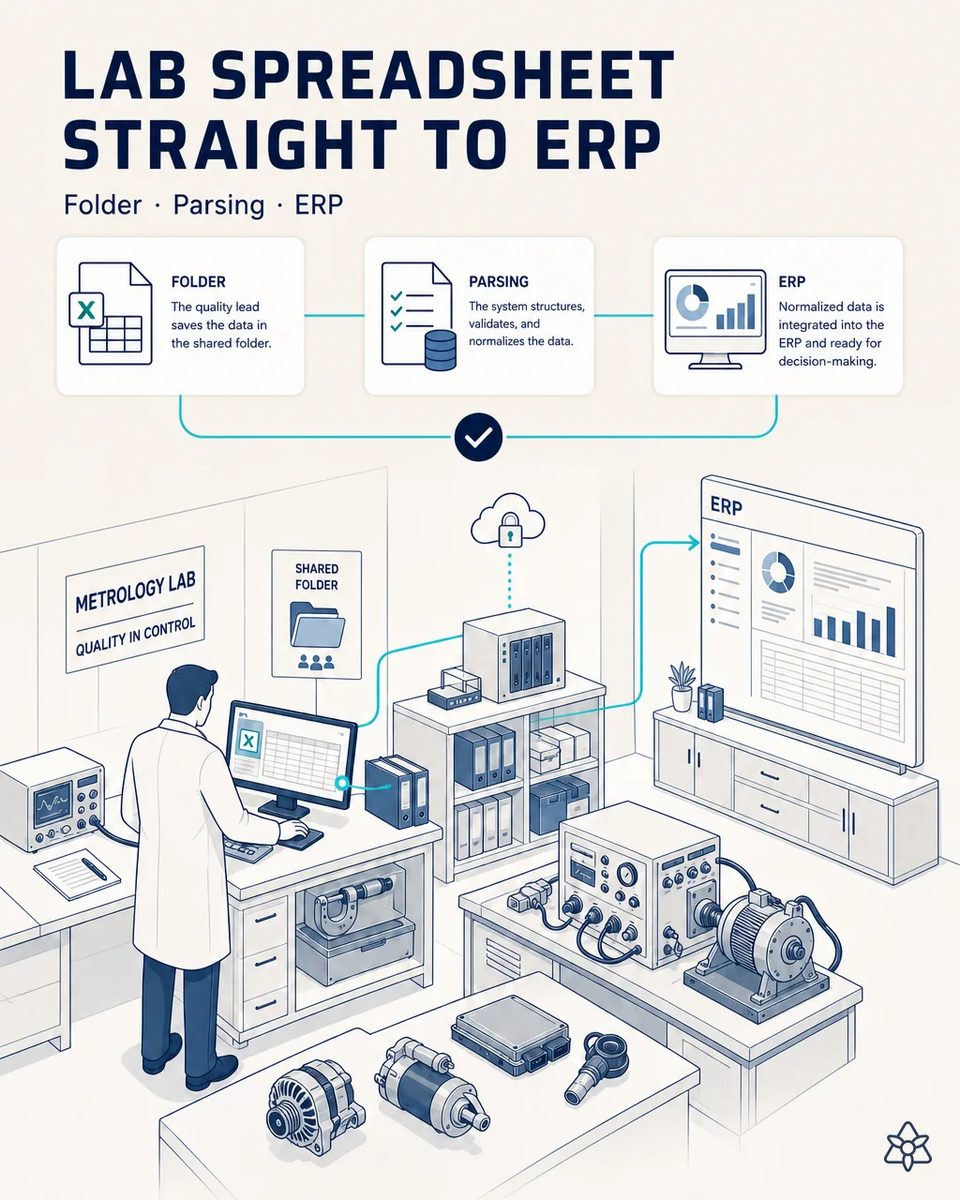
A spreadsheet lives in the lab with electrical test, torque and calibration results that someone transcribes by hand into the ERP today. With iLEAN Connect, the file is read when saved and, after validation, posted to the ERP automatically.
The lab measures in minutes and the ERP learns about it weeks later.
- Lab data is critical for any PPAP or audit, but the ERP still requires manual transcription, costing half a day a month and leaving weeks of lag between real and ERP data. - Every lab technician who logs into the ERP just to transcribe needs their own seat.
- The metrology lab keeps a spreadsheet with electrical test, torque and calibration results: winding resistance, insulation resistance, alternator output curves, regulator setpoints, gauge calibration dates.
- That data is critical for any PPAP or audit, but the ERP still requires manual transcription, costing half a day a month and leaving weeks of lag between the real value and the one in the system.
- During those weeks, a lot can be released against an ERP that does not yet show the lab result that would have held it.
- And every lab technician who logs into the ERP only to transcribe needs their own seat in the quality module.
Connect listening inward — it reads the file as soon as it is saved.
Connect 'listening inward': the system reads the shared file as soon as it's saved, parses it with a grounded LLM, and after human validation posts it to the ERP automatically via API.
The lab keeps its spreadsheet, its columns and its way of working. Connect reads the saved file, not the person, and the ERP receives the validated result minutes later instead of at the end of the month. Release decisions then rest on the lab's latest result, not last month's.
The lab spreadsheet today versus the spreadsheet read by Connect
| Aspect | Today | With iLEAN Connect |
|---|---|---|
| Winding and insulation resistance results | In the spreadsheet only | Posted to the ERP against the lot |
| A failed hipot sample | Invisible to release until transcribed | Visible in the ERP before the lot ships |
| Gauge calibration status | Updated when someone remembers | Current as soon as the file is saved |
| PPAP electrical and dimensional data | Copied and reconciled by hand | Exported from the ERP as recorded |
| Who needs an ERP login | Every technician who transcribes | Only the person who validates |
| Spreadsheet layout | Owned by the lab | Still owned by the lab, read as it is |
Half a day a month of transcription and weeks of lag → data in the ERP within minutes of validation.
Impact estimate — to be validated with your numbers.
The block below is an estimate to be validated against your plant's actual data. We put it forward so the committee has an order of magnitude; we refine it during the assessment.
- Estimated payback 4-8 months, driven mainly by license savings.
- Direct savings of -50 to -80% on ERP seats in the quality/lab module, because technicians no longer log in just to transcribe.
- Half a day a month of transcription and weeks of lag become data in the ERP within minutes of validation.
- We validate the seat count and the savings with your IT team before committing, on your real license structure and on the technicians who today log in only to type results.
Direct savings of -50 to -80% on ERP seats in the quality/lab module, with estimated payback 4-8 months. Estimate to be validated with IT.
And the fair question from the production manager
“What if it posts a wrong resistance value to the ERP?” — reading a spreadsheet whose columns and units are known is an anchored task, where the best models stay below 1.5% [1] error. Nothing is posted until a person validates it, and a value outside the physical range for that test, such as a negative insulation resistance or a torque above the tool's capacity, is stopped before it even reaches validation.
[1] OpenAI paper "Why Language Models Hallucinate", 2025 — on the reliability of AI in anchored tasks.
What people ask about posting lab results to the ERP
Which results are worth posting first?
Those that hold or release a lot: winding and insulation resistance and hipot on stators, output and regulation tests on alternators, torque audits on assembly. Calibration status comes next, because an expired gauge invalidates the measurements taken with it and every lot released on them.
How does it know which lot or part number a row belongs to?
From the identifiers the lab already writes in the sheet, such as lot, serial or sample number, matched against the ERP. When a row cannot be matched unambiguously, it is held for the validator instead of guessed. The validator sees the row, the candidate lots and the reason for the doubt.
What if a technician edits a result after it was posted?
The change is detected on the next save and shown to the validator as a correction, with the old and new values. The ERP history keeps both, which is exactly what an auditor wants to see.
How is the ERP connection made?
Through the ERP's own API, with a technical user and the permissions IT defines. Nobody's personal credentials are used, and no script types into screens. IT keeps full control over what the connection can write and where.
Does the lab lose control of its own file?
No. Connect only reads the saved file and never writes back into it. The spreadsheet stays the lab's working tool, with its own columns, formulas and history. If the lab adds a column tomorrow, the reading adapts after one validation.
More cases from this series
- The electronic components delivery note, straight to the ERPPhoto the delivery note and the PCB/semiconductor lot labels; one validation tap and it all posts to the…
- Industrial tablet validates ECU assemblyNothing iLEAN captures enters the central system without a human confirming it with two taps on an…
- ICT and AOI stitched to the MES, nothing replacedThe ICT/AOI test station's result reflects automatically in the MES/ERP, with no system replaced.
- The line lead's earpiece that loses no dataThe line lead dictates while walking, without stopping work; iLEAN listens, structures it, and returns…
- Semiconductor delay alert, read in secondsiLEAN reads the supplier's delay email at zero latency and suggests a replan before the line stops.
- Photo of the startup travelerThe startup traveler stops getting lost on paper: one photo gets it into the central system at zero…
Tell us which lab result you would want to see in the ERP before a lot ships.
We work on your plant's real data, not ours. Assessment with no commitment.
Request estimated ROI within 48h ‹ See all cases of automotive electronics See automotive