Windows NT screen in pharma packaging — read the HMI without touching the machine.
A qualified pharma packaging line with an offline Windows NT HMI is an untouchable asset — and at the same time a data point the rest of the plant never sees. iLEAN Connect captures the HMI screen by vision, extracts counts, batch, format and alarms, and pushes them to the Annex 11 ready system without touching the machine or the OT network. The person validates.
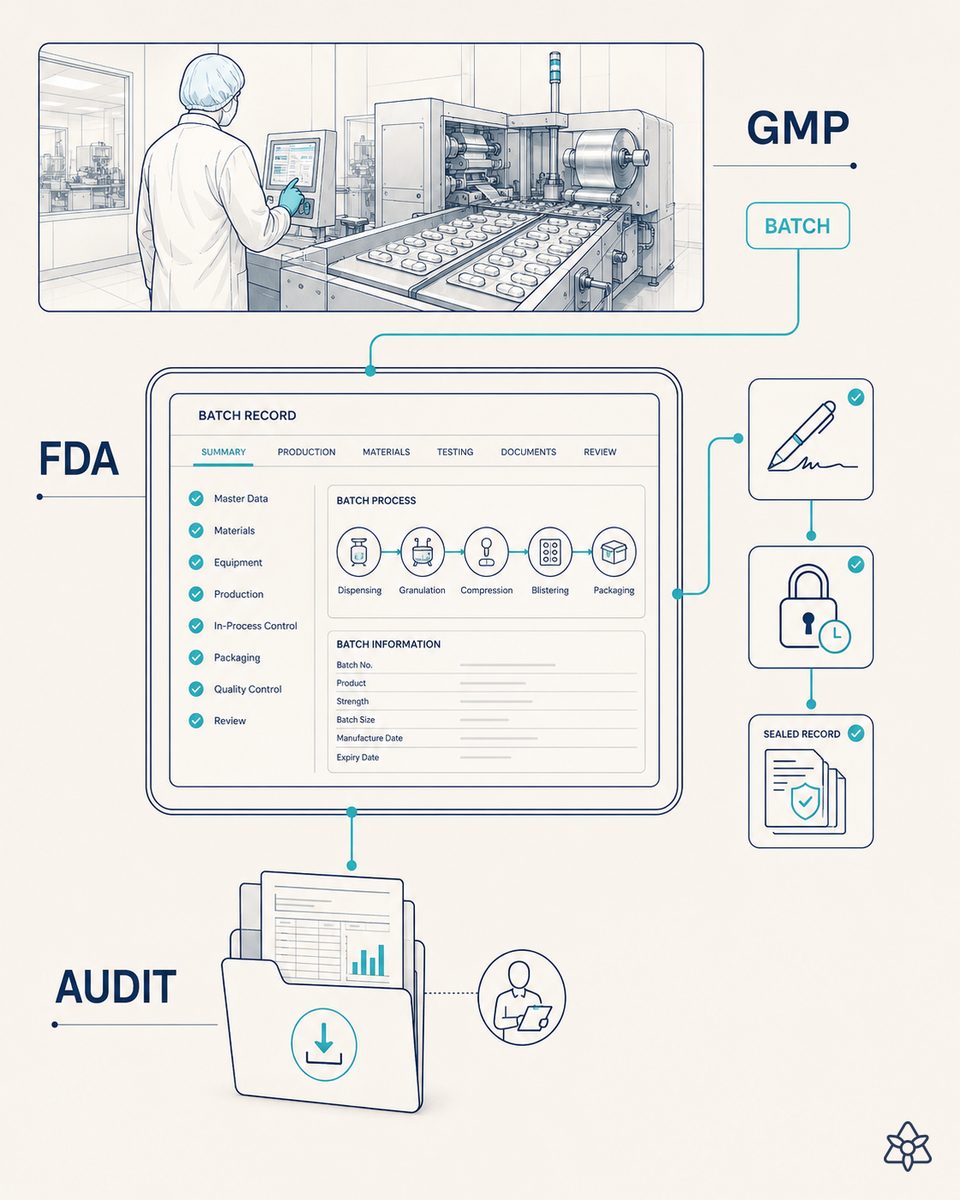
The machine does its job. Its screen tells nobody about it.
In pharma packaging it is common to find lines qualified 15 or 20 years ago whose HMI runs on Windows NT (or 2000, or XP), with no updates, no network, and a proprietary driver the manufacturer no longer maintains. The machine packages perfectly. The problem is not the machine — it is that its screen is the only way to know what is happening, and nobody outside the line ever sees it.
- It cannot go on the network. Connecting that HMI to the MES or the corporate network means exposing an unpatched Windows NT to the internet — no OT manager signs that off.
- It cannot be replaced. Changing the HMI means requalifying the whole line. Cost and time nobody wants to take on while the machine works.
- That is why counts are written down by hand. Every hour, every batch change, the operator reads the screen and fills in a sheet. At 10pm somebody types it into a spreadsheet. The next morning, somebody else moves it into the corporate system. By the time it reaches management, it is already yesterday.
The data exists, it is on the screen, it is exact. It just lives on an island — and yet that count is what production needs to plan, quality needs to review and management needs to decide. Gap number one from the book: data islands.
iLEAN Connect — the filler between the legacy screen and the Annex 11 ready system.
The IRIS system defines three capture levels for machines depending on their state: manual (photo of the panel), intermediate (reading the local computer even if it is old) and integrated (modern interface). Here we are exactly in the hard intermediate case: there is a local computer, but it cannot be touched. Connect solves this scenario without asking you to change the machine — the filler that covers the dead zone your HMI left exposed.
A camera looking at the HMI. OCR + visual template. Data into the Annex 11 ready system. The machine is not touched. The OT network is not touched. The qualification is not broken.
How Connect works applied to the Windows NT HMI in pharma packaging:
- Capture by vision, not by network. An industrial camera points at the HMI screen. An iLEAN terminal nearby carries the OCR + visual template model trained for that specific view. It captures every few seconds. Without touching the machine, without opening its OT network.
- HMI view discrimination. Connect can tell apart the normal operating view, the alarm view, the menu view and the recipe view. It only extracts counts when the valid view is on screen — if the HMI goes into alarm, it logs it as an event, not as a wrong count.
- Push to the Annex 11 ready system. The data (count, batch, format, alarm) reaches the plant's receiving system with timestamp, hash of the original image, extraction model and full traceability. The original image is stored as evidence.
- It works with no network. If the plant loses WiFi, the Connect terminal keeps capturing and buffering locally. When the network comes back, it syncs. What is critical does not depend on connectivity.
Connect carries the data, the agent structures it, the person validates in the receiving system. The GMP electronic signature is made by QA, not by Connect. That is the rule — always.
Manual counting off the HMI vs. vision capture with Connect.
| Aspect | Operator writes the screen down by hand | With iLEAN Connect (vision on the HMI) |
|---|---|---|
| Counting frequency | Every hour or every batch change | Every few seconds, continuous |
| Latency to the system | Hours (sheet → spreadsheet → system) | Seconds to the Annex 11 ready system |
| Changes to the machine | None (because of qualification) | None — external camera only |
| Reading error risk | Whatever any tired human makes | OCR anchored to a template, with the image as evidence |
| GMP traceability | Paper sheet + spreadsheet transcription | Hash + timestamp + image + extraction model |
| Cost of keeping the legacy line | The same — and you are still blind | The same — and now the screen speaks |
Impact estimate for your plant — to be validated with your numbers.
The block below is an estimate to be validated with the specific data of your line. We put it forward so the committee has an order of magnitude; we refine it during the diagnostic.
- Pharma packaging line with a Windows NT (or 2000/XP) HMI isolated from the network, counts written down by hand each shift and pushed to the corporate system hours later.
- Connect pilot on one line (camera + terminal + integration with the Annex 11 ready receiving system). First value expected in a few weeks: counts reach the system in seconds, not in hours.
- Indicative payback between 4 and 9 months, depending on operator hours spent on transcription, rework from mismatching counts and the cost of planning blind.
- Hard lever: ≥ 30% reduction in operator time spent writing the screen down — and the end of "it is already yesterday by the time the data goes up". Planning is done with data from the current shift, not the previous one.
And the OT manager's reasonable doubt
"What if the OCR gets it wrong and puts a bad count into the GMP system?" — hallucination is a problem of free generation, not of anchored tasks. Reading figures off a screen with a known visual template is exactly an anchored task, where the best models brought the error below 1.5% [1]. And even so, the original image is stored as evidence for the auditor, and the receiving system is still the one that qualifies and signs. The three rings of safety are there precisely for this.
[1] OpenAI paper "Why Language Models Hallucinate", 2025 — on the reliability of AI in anchored tasks.
What people ask about reading a Windows NT HMI by vision
Why are there still Windows NT HMIs in pharma packaging?
Because a qualified pharma packaging line costs hundreds of thousands of euros, and re-running the qualification costs more. The machine does its job perfectly — the problem is the local computer that operates it: a Windows NT (or 2000, or XP) with no updates, no network, and a proprietary driver no manufacturer maintains. Replacing the HMI means requalifying the line, so it stays. That legacy machine is common in many serious pharma plants and it is not an oversight — it is the sensible way to protect a GMP-validated investment.
How does Connect read a Windows NT screen with no network?
With a camera pointed at the screen and an iLEAN terminal nearby. The camera captures the HMI image at the right frequency (every few seconds in packaging), Connect applies OCR and a visual template to extract the critical fields (counts, batch, format, alarms) and pushes the data to the plant's Annex 11 ready system. The machine is not touched, its OT network is not touched, the proprietary driver is not touched. The HMI is still the HMI; what changes is that its screen is now data the rest of the plant can read from second zero.
Does this work for Annex 11 / 21 CFR Part 11 if the original HMI does not comply?
The original HMI is not modified, so its qualification status stays as it is. What gets qualified is the receiving system: Connect delivers the extracted data with timestamp, hash of the original image, extraction model and capture traceability, in a schema the plant's Annex 11 / 21 CFR Part 11 ready system consumes like any other qualified source. The original image is stored as evidence for the audit — it is what the auditor looks at if the figure is questioned.
What if the HMI stays on an alarm screen or the operator switches view?
Connect tells HMI views apart by their visual pattern: normal operating view, alarm view, menu view, recipe view. If the HMI goes into alarm, Connect logs it as an event (not as a wrong count) and fires the notice to the right channel — the operator's earpiece, the shift manager's WhatsApp. If the operator switches to the menu view, Connect stops extracting counts until the valid view is back. The system does not invent data it cannot see.
How long does it take to go live on a line?
A single-line pilot (camera, Connect terminal, integration with the plant's receiving system and cross-validation of the counts) usually delivers first value in a few weeks. What weighs is the qualification of the receiving system (not the capture), and that depends on the customer's GMP rigour — in plants with Annex 11 ready systems already in place, integration takes weeks; in plants starting the receiving system from scratch, months. Send us your line data and we will give you an order of magnitude in 48h.
More cases in ilean connect
- WhatsApp HACCP in an artisan PDO cheese dairy — the master reports as always; the system records underneath.iLEAN Connect captures the HACCP deviation the master cheesemaker sends by WhatsApp, links it to the…
- The operator's WhatsApp in the meat cutting room — the report already exists; what's missing is a system that reads it.iLEAN Connect transcribes the meat cutting operator's WhatsApp reports — line stoppages, yield loss,…
- The operator has the best idea of the shift — and it stays in their head because the suggestion box is in the office.iLEAN Connect captures operator kaizen ideas over WhatsApp with photo and audio; Agents rank them by…
- Fill out the work order on paper. Your AI agents do the rest.Free printable work order form. Your techs fill it in by hand, snap a photo, and an AI agent reads it,…
- The chemical tank has a good pressure gauge — and its reading lives in a shift notebook.iLEAN Connect reads the analog pressure gauge of a chemical tank with a fixed camera and emits the…
- Analog panel capture on the pasteurizer — the CCP that lives on a needle, now in the system.iLEAN Connect reads the pasteurizer's analog panel from a photo — temperature and pressure needles — and…
Tell us about your case and in 48h we will send the estimated ROI of this AI project for your pharma packaging line.
We work on the real data of your line, not on ours. Diagnostic with no strings attached.
Request estimated ROI in 48h See iLEAN Connect